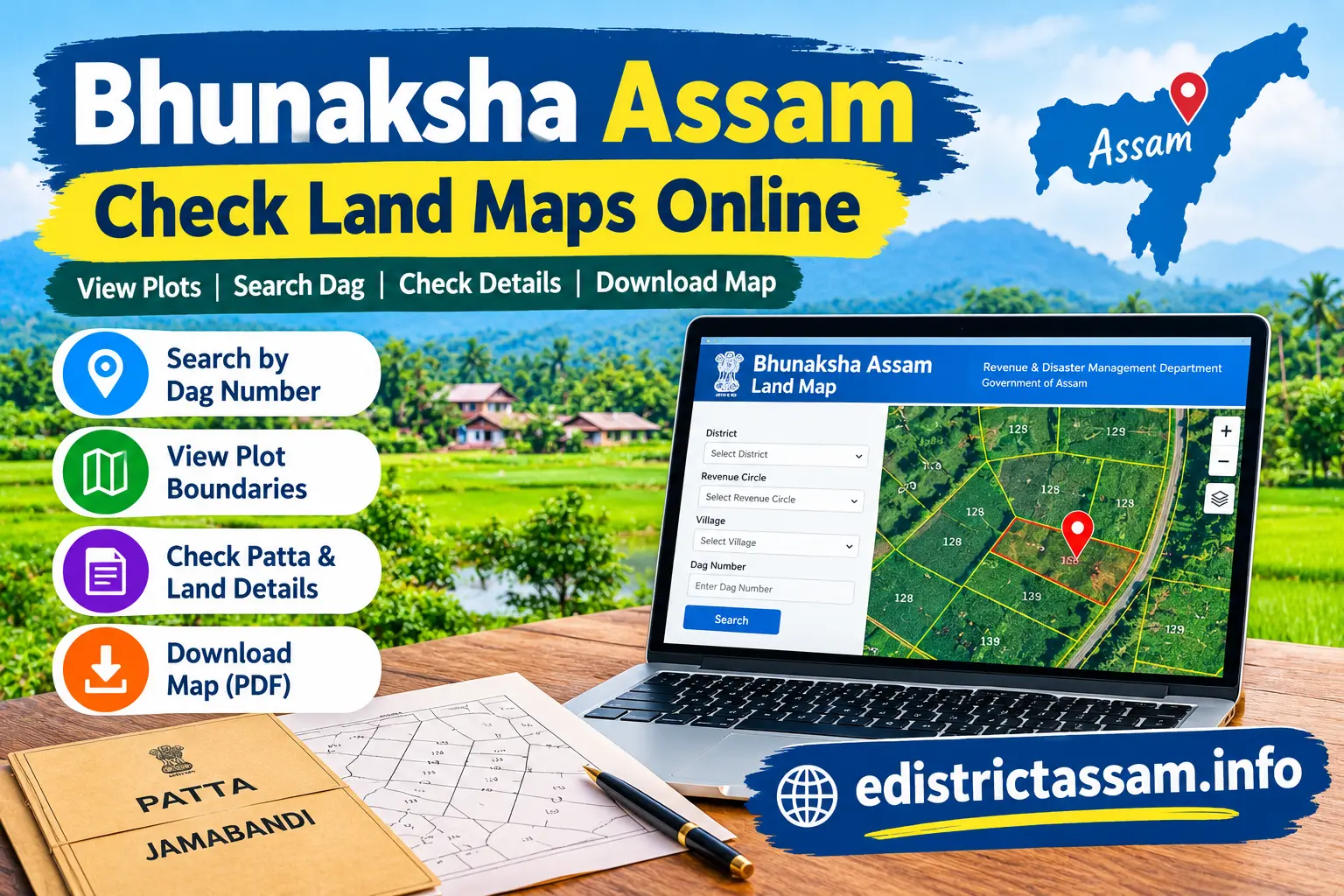
If you own land in Assam, plan to buy a plot, or want to understand the boundaries shown in a revenue map, Bhunaksha Assam can be a useful starting point. You can explore the map, look for a particular land parcel and review available details. In this guide, you’ll learn how to use the portal, understand Dag and Patta numbers, save available map information and handle common problems.
What Is Bhunaksha Assam?
Bhunaksha Assam is an online cadastral mapping service provided through the Assam government’s land-record system. It helps users view digitised land maps and identify individual plots where map data is available.
The portal is part of the Integrated Land Records Management System (ILRMS), managed by Assam’s Revenue and Disaster Management Department. Its map interface includes features such as location selection, Dag searches, map layers, measurement tools and a facility to view information about a selected Dag.
Depending on the land parcel and available records, the displayed information may include:
- Dag number and village details
- Patta number and Patta type
- Location information and available plot boundaries
- Land classification and area information
- Other recorded details available for the selected parcel
Not every field will necessarily be available for every plot. If information is missing, it doesn’t automatically mean the land has no record. You may need to contact the relevant revenue office for clarification.
Official Bhunaksha Assam Portal Link
Use the following government websites to access the land-map service and related information.
- Bhunaksha Assam: https://bhunaksha.assam.gov.in/
- Integrated Land Records Management System: https://ilrms.assam.gov.in/
- Directorate of Land Records, Assam: https://dlrs.assam.gov.in/
The direct Bhunaksha portal is the best place to begin if you want to view a land map. The ILRMS website provides links to other Assam land-related services, while the Directorate of Land Records website provides departmental information.
Bookmark the official website instead of using unknown links shared through messages or social media. If the portal is temporarily unavailable, return to the official ILRMS website and check the latest service link.
How to Check Bhunaksha Assam Land Maps Online
You can use the following steps to search for your land. The exact menu names or screen layout may change as the government updates the portal.
Step 1: Open the official Bhunaksha website
Visit bhunaksha.assam.gov.in using your mobile phone or computer.
Wait for the map to load. The website may take a little longer on a slow mobile connection because it displays interactive map data.
Step 2: Open the location selector
Look for the location selector in the map interface. Use the available options to identify the correct area, such as the relevant district, revenue circle or village, where those fields are provided.
Make sure you choose the location where the land is officially recorded. A village with a similar name can lead you to the wrong map.
Step 3: Search for the Dag number
Use the available Dag search feature or select the relevant plot directly on the map if the portal supports that action.
Enter the Dag number exactly as it appears in your land documents. Depending on the search interface, you may need to select the location before searching for the plot.
If you don’t know your Dag number, check your existing Jamabandi or other land-revenue documents. Avoid guessing a number because different plots may have similar identifiers in different villages.
Step 4: View the land map
Once the relevant area appears, locate your plot on the map. Review the displayed boundaries and any available details for the selected Dag.
You can use the map’s zoom controls to inspect the plot more closely. If the boundary isn’t clear, check that you’ve selected the correct location and parcel.
Step 5: Open the Dag information
Select the relevant plot and look for the option to view its Dag information. The portal may display details such as the Dag number, village, location code, Patta number, Patta type and land class, depending on the record.
Compare these details with your existing documents. Don’t rely only on the shape or location of a plot when confirming that you’ve found the correct land.
Step 6: Download the available map information
The current portal interface provides a PDF download option for the selected Dag details when available. Select the relevant plot and look for the download control.
Open the downloaded file and check that the information is readable. If you need a certified map or a document for a legal or official purpose, confirm the required format with the relevant authority. A downloaded PDF isn’t automatically a certified ownership document.
How to Understand Dag Number, Patta Number and Land Area
Before using a land-map portal, it helps to understand the terms that appear in Assam’s revenue records.
| Term | Meaning | How it helps |
|---|---|---|
| Dag number | A number used to identify a particular land plot in revenue records. | Helps you locate the relevant plot on the map. |
| Patta number | An identifier associated with a recorded landholding. | Helps you compare the map information with land records. |
| Jamabandi | A revenue record containing recorded landholding information. | Helps you check the recorded details associated with the land. |
| Land area | The recorded or mapped area of a parcel, where available. | Helps you review the recorded size of the plot. |
| Cadastral map | A map showing land parcels and their recorded boundaries. | Helps you understand the mapped position and shape of a plot. |
For example, suppose your Jamabandi shows a particular Dag number for land in your village. You can use that number, along with the correct location, to search for the corresponding plot on the map.
If the area or boundary appears different from what you expected, don’t immediately assume that the online map is wrong. Older documents, later changes and differences in measurement may need to be checked by the revenue authorities.
What to Do If Bhunaksha Assam Is Not Working
You may sometimes face a blank map, a failed search or incomplete land details. Try these practical steps before seeking help.
The map isn’t loading
- Check whether your internet connection is stable.
- Refresh the page and wait for the map tiles to load.
- Try a current version of Chrome, Firefox or another supported browser.
- Close unnecessary browser tabs if your phone is running slowly.
- Try again later if the government server appears unavailable.
Your Dag number isn’t showing
- Check the spelling and selection of the village or other location fields.
- Recheck the Dag number against your land documents.
- Try the available location and Dag search options in the portal.
- Contact the relevant Circle Office if the plot still cannot be found.
The map or land details look incorrect
Keep a copy of your existing land documents and note the details that don’t match. Contact the revenue office responsible for the land and ask how to verify the map or correct the record, if required.
For instance, if the plot boundary shown online doesn’t seem to match a fence or boundary marker on the ground, don’t move the fence based only on the online map. Ask the responsible authorities about the appropriate verification or official survey process.
Bhunaksha Assam vs Dharitri Assam vs Jamabandi
These services are related, but they serve different purposes. Choosing the correct one can save you time.
| Service | Main purpose | When to use it |
|---|---|---|
| Bhunaksha Assam | Viewing cadastral maps and available plot details. | When you want to locate a plot or inspect its mapped boundaries. |
| Dharitri Assam | Land-record updating and related revenue administration functions. | When dealing with land-record updates through the appropriate official process. |
| Jamabandi | Viewing recorded landholding or rights information. | When you want to check the recorded details associated with a landholding. |
You can start with Bhunaksha if you need a map and use the relevant Jamabandi service to review the associated revenue record. The ILRMS portal links to citizen-facing land services, including Bhunaksha and Jamabandi-related options.
For certificate applications and other services covered by E District Assam, use the official service portal relevant to that application. Land maps and certificate services are not interchangeable.
Important Tips Before Using an Online Land Map
Keep these points in mind when checking a property in Assam.
- Use the correct location: Always verify the village and other available location details before selecting a plot.
- Keep documents nearby: Your Jamabandi, Patta and Dag details can help you identify the correct record.
- Save the information carefully: If downloads are available, keep a copy for reference and note when you accessed it.
- Don’t treat the map as complete legal proof: A map can help you understand a parcel’s recorded boundaries, but it doesn’t by itself settle every question about title or ownership.
- Verify before buying land: Seek appropriate checks of the title, encumbrances, boundaries and other relevant matters before making a property transaction.
- Protect your personal information: Use official websites and avoid sharing identity documents or OTPs with unknown people.
If you need the map for a bank, court, property transfer or another formal purpose, ask the receiving organisation which documents it accepts. Check the official portal for the latest update on download facilities and any applicable process or fee.
Frequently Asked Questions (FAQs)
What is Bhunaksha Assam?
Bhunaksha Assam is an official online cadastral mapping service that helps users view land maps and available plot information. It is part of Assam’s land-record management system.
How can I check a land map online in Assam?
Visit the official Bhunaksha Assam portal, select the correct location using the available options and search for the Dag number. Select the relevant plot to view its map and available details.
Can I search for land using a Dag number?
Yes, the portal provides a Dag search feature. Select the correct location and enter the Dag number shown in your land documents to look for the corresponding plot.
Can I download a Bhunaksha Assam map in PDF?
The portal provides a PDF download option for selected Dag information when available. Check the current page for the download control and confirm separately if you need a certified map.
What should I do if my land plot is not showing?
Check the village selection and Dag number, then try the search again. If the plot remains unavailable, contact the relevant Circle Office for help.
Can I check Patta details on Bhunaksha Assam?
Available Dag information may include the Patta number and Patta type. The details shown depend on the selected plot and the records available on the portal.
Is a Bhunaksha map proof of land ownership?
A cadastral map helps you view the recorded plot and its mapped boundaries, but it does not settle every legal question about ownership. Obtain appropriate revenue records and legal verification when required.
Can I use Bhunaksha Assam on my mobile phone?
You can access the official portal through a mobile browser. If the map loads slowly, use a stable connection, zoom in gradually or try again later.
Disclaimer: eDistrictAssam.info is an independent information website and is not affiliated with the Government of Assam or any government department. Please use the official portal for applying and for official services.
Conclusion
Bhunaksha Assam is a useful starting point when you want to view a land map, search for a Dag number or check available plot information online. Select the correct location, compare the displayed details with your documents and download the available information if needed.
If a map is missing or a boundary doesn’t look right, contact the relevant revenue office rather than making assumptions. For the latest map facilities and official land-related services, use the government portal. You can also visit eDistrictAssam.info for general guidance on E District Assam and other Assam government services.